

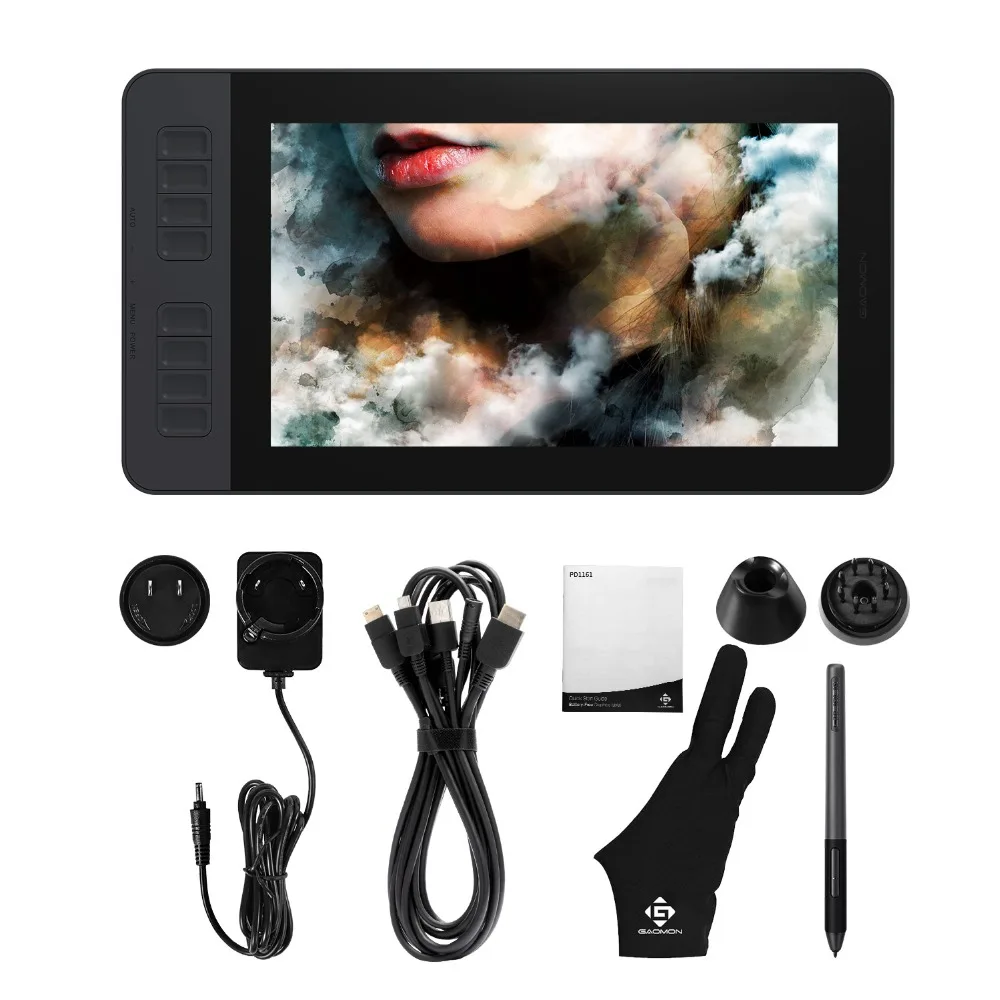
GAOMON PD1161 Graphics Tablet 11.6 Inch IPS Screen Drawing Pen Display with 8 Shortcut Keys and 8192 levels Battery-Free Stylus
- Regular price
-
$399.00 - Regular price
-
$0.00 - Sale price
-
$399.00
Couldn't load pickup availability
Shipping information
Use collapsible tabs for more detailed information that will help customers make a purchasing decision.
Ex: Shipping and return policies, size guides, and other common questions.
Returns information
Use collapsible tabs for more detailed information that will help customers make a purchasing decision.
Ex: Shipping and return policies, size guides, and other common questions.


Product Details
SPECIFICATIONS
Battery Included: No
Brand Name: GAOMON
Color: Black
High-concerned chemical: None
Interface Type: USB
Material: IPS
Origin: Mainland China
Package: Yes
Pressure Levels: 8192
Report Rate: 233 PPS
Resolution Ratio: 5080lpi
Screen Resolution: 1920x1080
Tablet Width: 200mm
Tablet length: 361.4mm
Type: Pen Tablet Monitor,Digital Tablets
GAOMON PD1161 11.6" Pen Display with 8 Shortcut Keys and 8192 levels Battery-Free Stylus

1. [8192 LEVELS PEN Pressure & PASSIVE PEN] High Levels Pen Pressure enables accurate, smooth, neat and natural lines during digital creation. With the battery free technology, No need to charge the pen or replace battery anymore, which is environment-friendly.

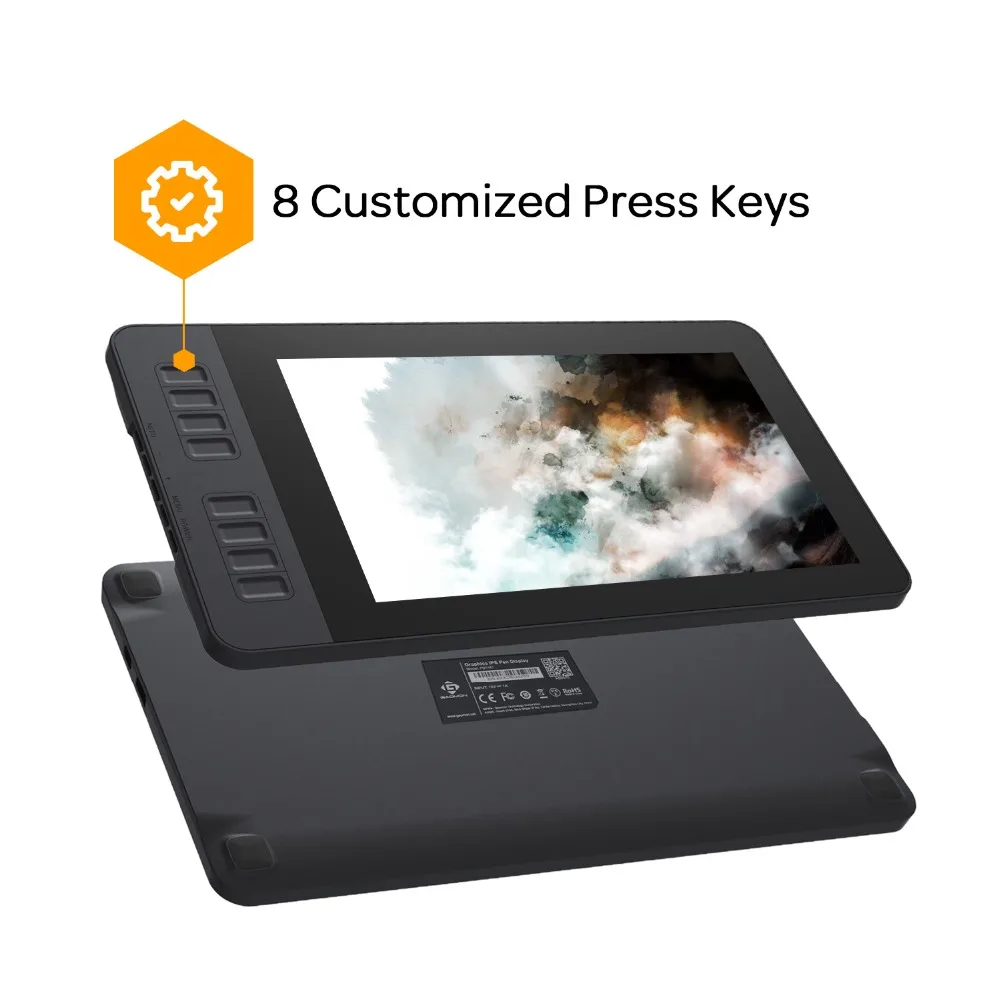
2. [8 SHORTCUT KEYS] There are 8 shortcut keys available to be customized according to your own creative habits, like zoom in/out, scroll up and down, and more, to accelerate your work efficiency.
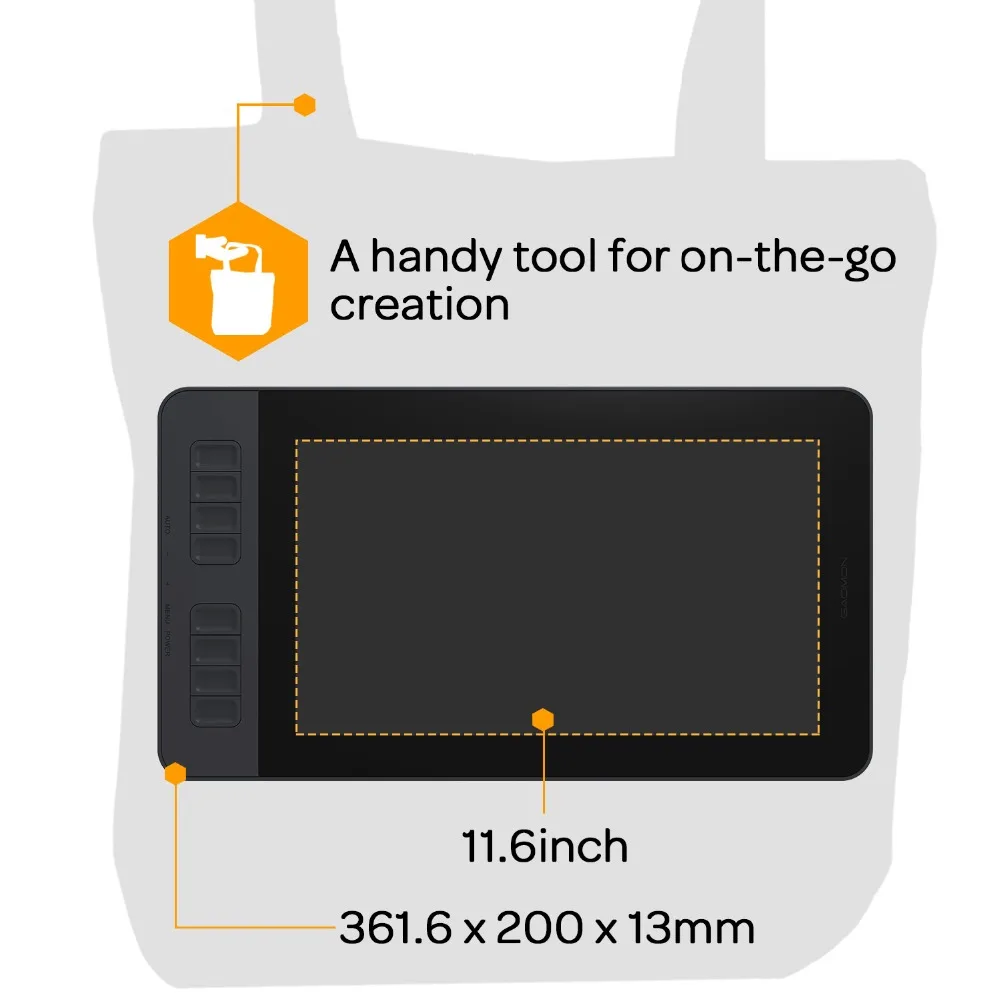
3. [LIGHT WEIGHT & PORTABLE] With 866g (1.9lb) net weight, 11.6 inch PD1161 pen display monitor is easy to be carried to anywhere you need, like the workplace, school, outdoor painting and a temporary trip, so that you can use the tablet for on the go creation.
4. [OS SUPPORT & PROGRAM COMPATIBILITY] Seamlessly compatible with Win 7 or macOS 10.12 or above. It is ideal for drawing, photography, animation, fashion, sketching, image editing, 3D sculpture, drawing beginners, painting enthusiasts, architectural designers ect. And it is compatible with most painting software, like Adobe Photoshop, Illustrator, Clip Studio, Lightroom, Sketchbook Pro, Manga Studio, CorelPainter, FireAlpaca, OpenCanvas, Paint Tool Sai2, Krita and so on.

[IPS FULL HD SCREEN] Screen Resolution: 1920x1080 (16:9); Report Rate: 266PPS; Display Area: 256.32 x 144.18mm(10.09*5.68 inch); Accuracy:±0.5mm (Center) \±3mm(Corner); Sensing Height:10mm; Signal Output: Mini HDMI&Type-C; Viewing able: 89°/89°(H)/89°/89°(V) (Typ.)(CR>10); Resolution: 5080LPI

Product Model: PD1161
Digital Pen: ArtPaint AP50
Screen Size: 11.6 Inches
Screen Resolution: 1920 x 1080(16:9)
Liquid Crystal Type: IPS
Dimension: 361.6 x 200 x 13 mm
Active Area: 256.32 x 144.18 mm
Contrast Ratio: 1000:1
Brightness: 220 cd/m2
Report Time: 25 ms
Resolution: 5080 LPI
Pressure Sensitivity: 8192 Levels
Reading Height: 10mm
Report Rate: 266 PPS
Net Weight: 866g
Gross Weight: 1.65 kg
Signal Interface: Mini HDMI、Type-C
Accuracy: ±0.5mm (Center) \ ±3mm(Corner)
Pen Technology: Battery Free Electromagnetic Resonance
Viewing Angle: 89deg/89deg (H)/89deg/89deg (V) (Typ.) (CR>10)
OS Support: Windows 7 or later, macOS 10.12 or later
ERGONOMIC DESIGN
The silicone covers the hand holding part of the pen, which can get your hands no pain and no discomfort after prolonged creation.
5 Menu Keys
AUTO/+ /- /MENU/POWER. They are placed at left side of board. You can make adjustments of color,brightness,contrast, etc through here.
Portable Size
The 11.6 inches working area is definitely enough for your needs. Plus with 15mm thickness and 1.65kg weight, It's easy to carry together with your laptop in your backpack. You are free to record your inspiration without limits.
Remarkable Screen
IPS LCD screen with 178°viewing angle, it provides you with a vast working area, allows you to see the screen in a very comfortable way. 1920*1080 full HD can present the details of your artwork with accuracy, deliver incredible visual clarity and color saturation.
DUAL/TRI MONITOR SUPPORT
Duplicated Mode: The PD1161 will display exact the same with your computer monitor. What you draw on PD1161, it will display on your computer monitor.
Windows OS: Press 'Windows+p' on keyboard----Check 'Duplicate'
Mac OS: System Preference-- Displays--Arrangement-- Check the "Mirror Displays"
Extended Mode: PD1161 display the wall paper of PD1161 without programs on it. You can draw on PD1161 while computer monitor can display other things separately.
Windows OS: Press 'Windows+p' on keyboard----Check ‘Extend’---Open GAOMON Driver Panel--Work Area---You will see options: Display 1/Display 2/All Displays--- Choose PD1161 1920*1080 one as work area, it is usually Display 2---Apply and OK.
Mac OS: System Preference-- Displays--Arrangement-- Uncheck the "Mirror Displays" -- Open GAOMON Driver Panel--Work Area---You will see options: Display 1/Display 2/All Displays--- Choose PD1161 1920*1080 one as work area, it is usually Display 2---Apply and OK.
As for Tri-Monitor support, it depends on whether your computer graphic card support 3 monitors connected at the same time. If your computer supports it, please refer to above instruction for Dual monitor settings.
Notes:
1, Before installing driver, please uninstall all tablet drivers from your computer, and keep all antivirus program closed, after installation then restart your computer. You can download the driver from our official website: gaomon dot net
2. we cover 1 year warranty basing on non human made damages and accident damages, any assistance, feel free to contact us!
3. for Mac Mojave Users: Mac 10.14 new OS requires higher permission for newly downloaded programs. After Gaomon driver is installed, please open system preference---security &privacy---Please add "GaomonTablet" and "TabletDriverAgent" into the list, to make sure the pen works properly in mac 10.14 new os.
1. Collapsible tab
Share information about your brand with your customers. Describe a product, make announcements, or welcome customers to your store.
2. Collapsible tab
Share information about your brand with your customers. Describe a product, make announcements, or welcome customers to your store.
3. Collapsible tab
Share information about your brand with your customers. Describe a product, make announcements, or welcome customers to your store.
Tab collage
1. Image heading
2. Image heading
3. Image heading
4. Image heading
Pair text with an image to focus on your chosen product, collection, or blog post. Add details on availability, style, or even provide a review.
Pair text with an image to focus on your chosen product, collection, or blog post. Add details on availability, style, or even provide a review.
Pair text with an image to focus on your chosen product, collection, or blog post. Add details on availability, style, or even provide a review.
Pair text with an image to focus on your chosen product, collection, or blog post. Add details on availability, style, or even provide a review.
Testimonials
Author's nameAdd customer reviews and testimonials to showcase your store’s happy customers.
Author's nameAdd customer reviews and testimonials to showcase your store’s happy customers.
Author's nameAdd customer reviews and testimonials to showcase your store’s happy customers.
Author's nameAdd customer reviews and testimonials to showcase your store’s happy customers.
Author's nameAdd customer reviews and testimonials to showcase your store’s happy customers.